

Update your profile
Change your name, phone number, and company, and learn how to get your email address changed.
Your profile is how you appear across the app. Update it when your name, phone number, or company changes.
Change your details
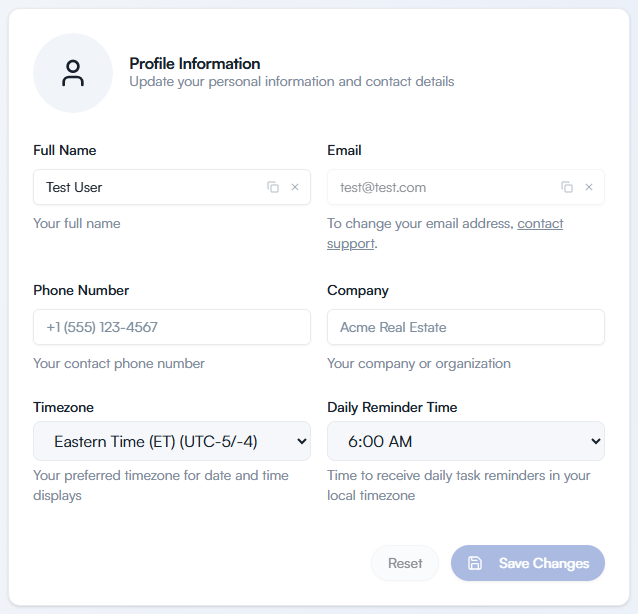
Section titled “Change your details”In the sidebar, select Settings. The Profile Information card is at the top of the page.
Change Full Name, Phone Number, or Company. Full Name cannot be left empty. Phone number and company are optional.
Select Save Changes. If you change your mind, select Reset to put the fields back the way they were.
Change your email address
Section titled “Change your email address”You cannot change your email address yourself. The Email field is greyed out, and the text under it reads “To change your email address, contact support.”
To request the change, select the contact support link under the field, or see Contact support.